Your phone is at 18% when you leave for work, so you plug it in for ten minutes. Later, you charge again at your desk, top it up in the car, and finally leave it connected overnight. Then someone tells you that charging too often destroys the battery, while someone else insists you must always charge from 0% to 100%. Which advice actually makes sense?
For Indian smartphone users—especially in hot summer conditions—the answer is simpler than many battery myths suggest. Modern lithium-ion batteries can be charged whenever convenient; you do not need to wait until the battery reaches 0%. If you want to prioritise long-term battery health, avoiding frequent deep discharges and reducing the amount of time the phone spends extremely hot or fully charged can help. Modern iPhones, Pixels and many other smartphones now include charging optimisation features specifically for this purpose.
In everyday use, a practical habit is to start charging somewhere around 20–30% when convenient and unplug around 80–90% when you do not need maximum runtime. But this is a useful habit, not a strict rule—you can charge to 100% whenever you need a full day’s battery.
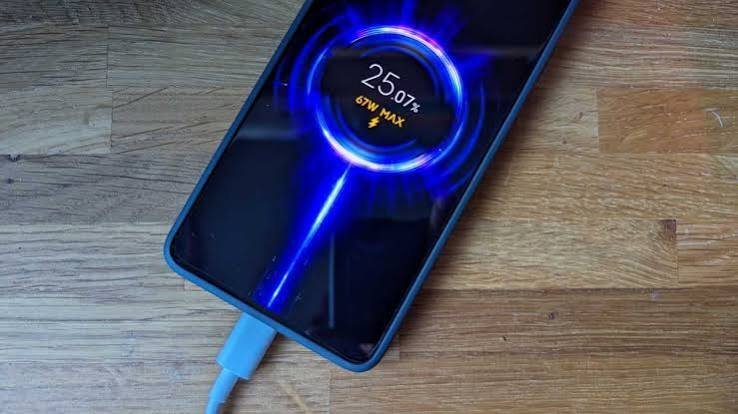
Smartphone Charging: Quick Overview
| Situation | Practical Charging Approach |
|---|---|
| Battery reaches 20–30% | Good opportunity to recharge |
| Battery at 40–50% | Safe to top up |
| Charging to around 80% | Useful for long-term battery care |
| Charging to 100% | Fine when you need maximum runtime |
| Battery reaches 0% | Avoid making this a regular habit |
| Overnight charging | Generally safe on modern phones |
| Optimised/adaptive charging | Keep enabled |
| Phone becomes very hot | Allow it to cool |
| Gaming while charging | Avoid if it causes significant heat |
| Hot car/direct sunlight | Poor environment for charging |
| Short partial charges | Completely acceptable |
| Before travelling | Charge to 100% if you need the extra runtime |
Should You Wait Until Your Phone Reaches 20%?
No exact percentage is required.
Unlike older rechargeable battery technologies, modern lithium-ion batteries do not need to be completely discharged before they are recharged.
Apple explicitly states that its lithium-ion batteries can be charged whenever you want and do not need to reach 0% first. Google similarly says Android users do not need to “teach” the battery by repeatedly charging from zero to full.
So if your phone is at 45% and you know you are leaving for a long evening, charge it.
If it is at 65% before an airport journey, topping it up is also perfectly reasonable.
Charging decisions should fit your lifestyle rather than forcing your day around an arbitrary percentage.
Is the 20–80 Charging Rule Worth Following?
You will frequently hear that smartphone batteries should be kept between approximately 20% and 80%.
There is some practical logic behind avoiding charge extremes, but you do not need to become obsessed with staying inside this range every minute.
Modern manufacturers increasingly provide features that limit or delay charging beyond 80%. Google Pixel, for example, offers an 80% charging limit on supported models specifically to prioritise long-term battery health. Apple uses Optimised Battery Charging to reduce the time an iPhone remains fully charged.
If you normally finish the day with 30–40% battery remaining, limiting charging to around 80% can make sense.
If your job requires navigation, video calls and mobile data all day, charging to 100% may be far more practical.
Battery preservation should not make the phone inconvenient to use.
Is It Bad to Charge Your Phone to 100%?
Charging to 100% is not inherently dangerous.
Modern smartphones have charging-management systems that prevent the battery from simply continuing to overcharge once full.
However, keeping a lithium-ion battery at a very high state of charge for long periods—particularly while it is hot—can contribute to faster chemical ageing.
This explains why modern phones increasingly manage the final part of charging intelligently.
Apple’s Optimised Battery Charging can delay charging beyond 80% and complete the process closer to when it expects you to disconnect the phone. Pixel’s Adaptive Charging similarly learns charging habits and can finish charging closer to when you normally unplug.
Charge to 100% when you need it. Just do not feel compelled to reach 100% after every small top-up.
Is Overnight Charging Safe?
For modern smartphones, overnight charging is generally safe when you use appropriate charging equipment and the phone is functioning normally.
Apple specifically states that an iPhone can be charged every night even if its battery is not depleted and automatically stops charging when full.
Charging optimisation makes overnight charging even smarter.
Instead of immediately reaching 100% and remaining there for hours, a compatible phone may pause or slow charging and finish shortly before you usually wake.
Keep adaptive or optimised charging enabled unless you have a particular reason to disable it.
Also make sure the phone can release heat. Do not bury a charging phone beneath pillows, blankets or mattresses.
Heat Matters More Than Many Charging Myths
If you remember only one battery-care rule, make it this one: avoid excessive heat.
Heat accelerates lithium-ion battery ageing.
Apple advises avoiding use or charging in ambient temperatures above 35°C, warning that high temperatures can permanently reduce battery lifespan. Google similarly recommends keeping Android and Pixel devices cool because overheating can damage battery health.
This is particularly relevant in India.
Leaving a smartphone charging on a car dashboard in May, beside a sunny window or in an extremely hot room can be much harder on the battery than occasionally charging it to 100%.
If your phone becomes unusually hot while charging, remove it from the heat source and allow it to cool.
Should You Use Your Phone While Charging?
Normal light use—replying to WhatsApp messages or reading an article—is generally not a problem.
Heavy workloads are different.
Playing demanding games, recording video or running navigation while fast charging can generate additional heat because both the processor and battery-management system are working hard.
If the device becomes noticeably hot, reduce the workload.
Some phones may automatically slow charging when temperatures rise. Apple, for example, notes that software can limit charging above 80% when recommended battery temperatures are exceeded.
The issue is therefore less about “using a phone while charging” and more about managing temperature.
Is Fast Charging Bad for Battery Health?
Modern fast-charging systems are designed to manage power dynamically.
Charging is not performed at maximum speed from 0% all the way to 100%.
Apple describes its lithium-ion charging process as faster initially and slower after approximately 80%, helping manage battery longevity.
Your phone may also reduce charging speed because of battery percentage, temperature and other conditions.
Use a compatible, good-quality charger and cable that meet the requirements of your device.
An unknown, poorly made charger is not worth the saving, especially when powering an expensive smartphone.
Should You Let the Battery Reach 0% Occasionally?
You do not need to regularly drain a lithium-ion smartphone battery to zero.
Repeatedly running the phone completely flat provides no routine battery-health advantage.
Google does note that Android users may occasionally allow the battery to fall below 10% and then charge it fully overnight, but this is different from deliberately performing a 0–100% cycle every day.
If your phone accidentally reaches 1% or switches off, there is no reason to panic.
Simply recharge it normally.
The objective is to avoid turning deep discharge into a daily habit.
What Is the Best Charging Routine for Daily Use?
For an ordinary working day, plug the phone in when it becomes conveniently low—often somewhere around 20–30%.
If 80% comfortably gets you through the day, you can stop around that level or use your phone’s built-in charge-limit feature.
When you know you have a long commute, wedding, business trip or full day away from a charger, charge to 100%.
Leave Optimised Battery Charging, Adaptive Charging or the equivalent manufacturer feature enabled.
During India’s hotter months, pay particular attention to temperature. Avoid charging in direct sunlight or other extremely hot locations.
And do not worry about occasional top-ups. Modern lithium-ion batteries calculate charge cycles cumulatively, so plugging in twice does not automatically mean you have used two complete battery cycles.
FAQs
Q1. At what percentage should I start charging my smartphone?
A. There is no mandatory percentage, but around 20–30% is a practical point to recharge when convenient. You can also safely top up the battery at 40%, 50% or higher.
Q2. Should I stop charging my phone at 80%?
A. If 80% provides enough daily runtime, doing so can help prioritise long-term battery health. Some modern phones provide an 80% charging-limit feature for exactly this purpose. Charging to 100% is still appropriate when you need maximum battery life.
Q3. Is charging a smartphone overnight bad?
A. Modern smartphones are designed to manage overnight charging safely. Enable optimised or adaptive charging so the phone can minimise unnecessary time spent fully charged.
Q4. What damages a smartphone battery the most while charging?
A. Excessive heat is one of the biggest concerns. Avoid charging the phone in direct sunlight, a very hot car or other high-temperature environments, and reduce demanding activities if the device becomes unusually hot while plugged in.